Saturday, 17 March 2012

Samsung Galaxy Note. Phone? Tablet? Or Both? – Review

It’s been a while since we’ve seen a stylus on mainstream touch screen devices especially in this time and age with the rapid adaptation of capacitive touchscreens, for a long time using your finger was seen appropriate and made the stylus for most part redundant if not obsolete. A phone with a stylus to me initially would have sounded like a definite miss (unless you’re a certain Japanese videogame company), but the Samsung Galaxy Note is the exact opposite.

 
Here’s what you need to know, the Galaxy Note is one of the latest offering from Samsungs long line of android devices, it’s got a 5”3 Super AMOLED capacitive touchscreen with 16M colours and 800x1280 pixels, 1GB of RAM with an option of 16GB and 32GB of internal storage. It takes 8MP stills at 3264x2448 pixels, with auto focus and flash, records at 1080p FullHD. Its android OS (Gingerbread) is powered by a whooping 1.4GHz Exynoc dual-core ARM Cortex-A9 processor (the same as the iPad 3) all this coupled with 4G capabilities.


So what’s up with the stylus? Well it’s not just a stylus. Affectionately dubbed the S-Pen, the Galaxy Note Stylus has been integrated with button which provides a new dimension to the way to interact with the android OS. When you hold the S-pen button down and hold the S-Pen over the screen of the Galaxy Note simultaneously it takes a screenshot, if you press the S-Pen button and swipe to the left it means back, which does coming in handy when browsing, if you swipe upwards the context menu will appear s, so you should get the idea. If you don’t, it means the S-Pen allows you to operate your phone without pressing any hardware keys, reducing wear and tear. It’s the little things that count. 

A truly unique feature the Galaxy Note has that few people highlight is the ability to sketch. This may not seem like much but with its TouchWiz 4.0 powered user interface your strokes are mode defined based on the amount of pressure applied, the S-Memo also gives you an interesting amount of textures, brushes and palettes to choose from, equipping you with a mini art studio on the go. The fluid physics is good but it could be better, if it get blur and smudge support which would let you blur colours into each other for a more realistic fade, but considering it was not purpose built for that, it’s good enough.


Personally I’d spend hours doodling away on the S-Memo over playing angry birds (for the umpteenth time) any day. Couldn’t help but make a few sketches while I was with the Galaxy Note either, check out my doodles below. 

It’s had to look at the Galaxy Note and fault it, some may argue that its screen is extraordinary large compared to other Smartphones in its class, but its unique and innovative design makes it definitely stand out among its peers.  

If you like this article or have something to add you can post a comment below or Follow us on Twitter @truetechkings 

Sunday, 4 March 2012

Sony Xperia S, P and U Overview UPDATED 15.07.2012


Today I’ll be introducing you to the Xperia NXT series, Sony’s (previously known as Sony Ericsson) new range of Next Generation smartphones. 


The first of which and the most powerful is the Sony Xperia S. Announced at the Consumer Electronic Show (CES) 2012 the Sony Xperia S features a 1.5 GHz Quadcomm dual-core processor backed by an Adreno 220 GPU, running Android 2.3 (Gingerbread), although Android 4.0 (Ice Cream Sandwich) current available "over the air", this means you can download the update directly on your phone without the need to plug it to you PC! It takes 12MP stills – flash included and records videos in 1080p Full HD with a BRAVIA powered 4.3” 720p Reality Display LCD screen and 1GB of RAM to boot!


This phone also supports Near Field Communication (NFC) which enables it to communicate with specific devices via proximity. It’s also DLNA certified so you can stream your music through your Wi-FI connection or the phones built-in HDMI port in case you like to go "hard-wire" instead, and let’s not forget about its PlayStation certified allowing you to play PSone and PSX games on the go.

Next we’ll take a look at the Xperia P and U which were also announced at World Mobile Congress.  The Sony Xperia P is similar to the Xperia S in many ways especially design and appearance, thought with lower specifications. It features a 1GHz U8500 dual-core processor with a DB8500 GPU, also running Android 2.3 (Gingerbread) with the Android 4.0 (Ice Cream Sandwich) update also available "over the air". It takes 8MP stills – flash included and still records videos in 1080p Full HD. Its 4.0” BRAVIA powered LCD screen has up to four fingers multi-touch and is the only one of the series the series to currently support Sony White Magic technology. This feature boots the brightness of the display by using a fourth sub pixel to the traditional RGB – namely a white pixel - long story short, its got a ultra bright screen, which is good for when your using it in direct sunlight. The Xperia P also has a NFC, HDMI support and 1GB of RAM, all this encased in a full aluminum uni-body casing. 


Lastly well take a look at the Xperia U, it features a 1GHz U8500 dual-core processor with a DB8500 GPU, it too currently runs Adroid 2,3 (Gingerbread), with the Android 4.0 (Ice Cream Sandwich) update also available "over the air". It takes 5MP stills - flash included, and records in 720p high definition with a BRAVIA powered LCD screen. It has 512MB of RAM and 4GB Internal storage.  It lacks NFC capabilities and a HDMI port, but as an extra it does come with interchangeable bottom caps. 

In conclusion, the Xperia NXT does have an impressive line-up of smartphones with even the underdog of the series still rival most mid-range smartphones today. The series meets the new benchmark for android smart phones today with multiple core processors, high definition video recording and Android 4 OS. Although the omission of SDcard slots maybe a hindrance for the Xperia U which only has a limited 4GB of internal memory, unlike the Xperia S and P with 32GB and 16GB respectively. They may not be as outrageous and over-the-top as some of the other smartphones but what they do have is a certain charm - which only the Xperia range can provide.

If your like me and can’t wait to see what else is to come to the Xperia NXT Generation series follow True Tech Kings on Twitter by clicking HERE and like us on Facebook by clicking HERE to get all the latest Xperia NXT News and Updates.


Monday, 20 February 2012

Dstv Mobile Walka Review

Today I’ll be introducing you to the latest of DStv mobiles DVB-H enabled devices, the Walka. It’s a 3.5” handheld television screen and DStv decoder bundled into one portable device. Unlike its USB and Wi-Fi dependent predecessors the Walka is a standalone entertainment package  which is not required to be linked with any other device for you to enjoy what it has to offer. 


So if you’re the kind of person that hates having thumb sticks constantly protruding out of your PC; dislikes always having to dedicate your Wi-Fi connection to pairing with another device or thinks your mobile phone should best be used for the actual purpose it was intended this is the must have gadget for you!


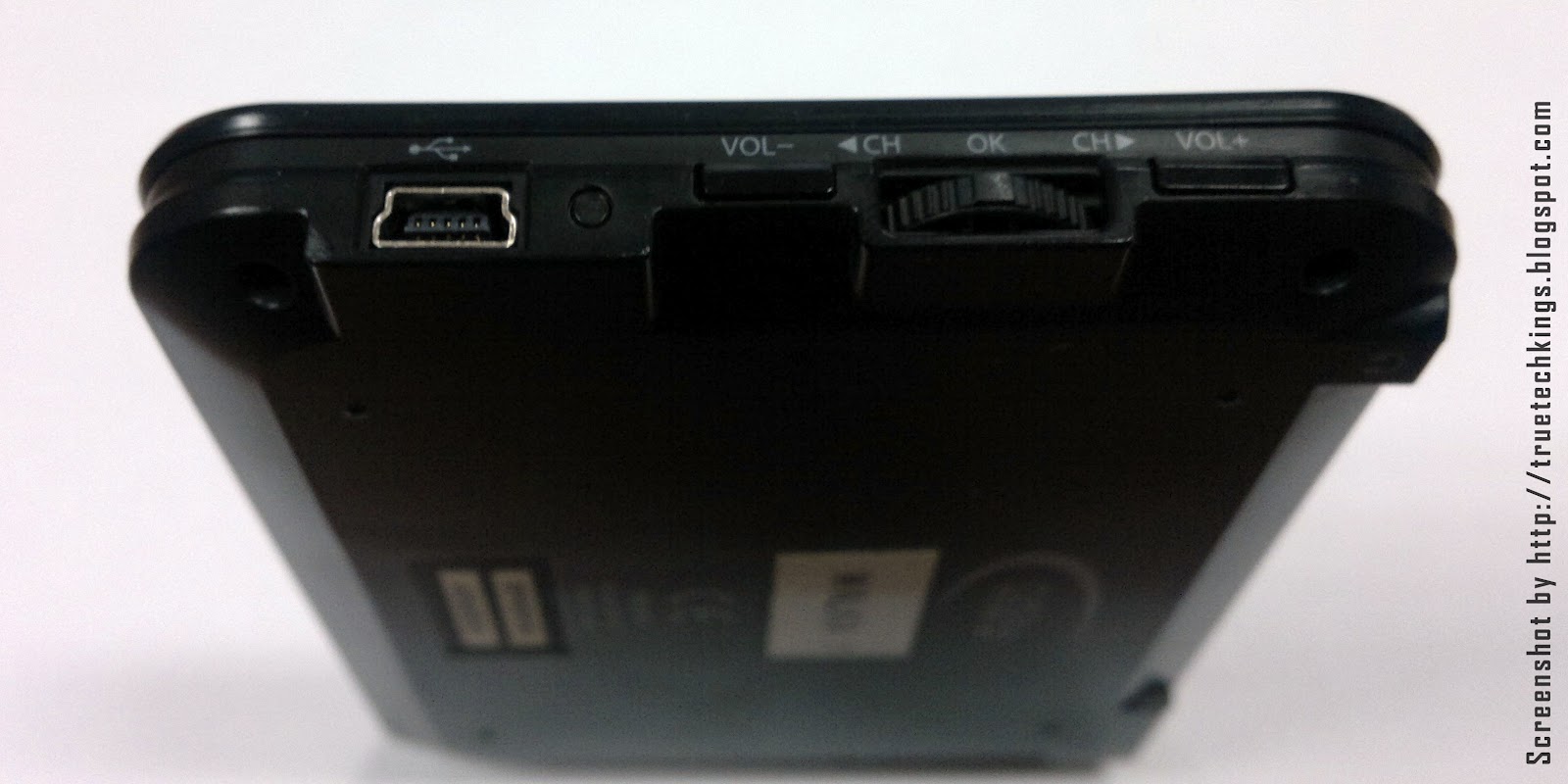
The device is light weight and portable and it shares the same antenna scheme as the Drifta. The control configuration is intuitive and easy to understand, it also features the most comprehensive electronic program guide (EPG) I’ve seen on a standalone DVB-H enabled device to date.  On the downside its screen resolution is nothing to write home about, its only 320x240 pixels stretched over its 3.5” screen with 56K colours, needless to say it has a 3:4 aspect ratio (Standard Definition) display, sorry people no HD here.  But to do it justice its purpose built screen ensures less blurring because it does not need to resize the broadcast to fit the screen. Sound quality is as good as basic stereo audio output gets, though it does come with a pair of headphones, but if you’re like me and will settle only for the best you’d get some noise cancelling buds or clip-ob headphone with a bass boost  (you can never have too much bass!) since the device does have a 3.5mm jack. 

DStv Walka is a great device that does what it meant to do and does it well.  Normally I would have no complaints but in this fast paced techno world we live in devices these days are always trying to do a little more than we expect from them. We hear terms like dual functionality and multi tasking being thrown about a lot which had me wondering. Why not throwing an FM radio or an SD card reader so I could also view pictures and listen to music when I don’t feel like watching tv? A proper reminder system would be nice so I don’t lose track of time and still miss my shows. Lastly the ability to record my favourite shows if I’m too busy on the go would be an invaluable incentive for me to go mobile.


In summary the DStv WAlka is a great device to use to while away some time or catch up on your favourite shows or to stay updated with the times. It would make a wonderful gift and is reasonably priced, costing only a fraction of what you’ll pay for your average Smartphone. Although some tech junkies may feel it could offer more in terms of functionality, its simplicity will guarantee it a more mainstream appeal. Personally the device was something I fell in love with at first sight, and I would encourage anybody who has not yet tried the mobile TV experience to let the DStv Walka be your first step.

For an up-to-date list of channels and prices click here

Adedamola  

So for all the latest news and updates, tips and tricks follow us on Twitter by clicking HERE and like us on Facebook by clicking HERE.

Friday, 10 February 2012

Kingdom Rush Review - One Tower Defence Game to Rule Them All!

Admittedly I’m a little pissed that IGN beat me to this review. I actually discovered the game over a month ago but couldn’t find the time to write this review. What is kingdom rush? It’s a tower defense game developed by Iron Hide Game Studio. What is a tower defence game? Oh boy, well you see, its strategy game in which you build artillery around or along the route to a specific “goal” or “base” and fend off waves off enemies trying to stops as many as possible form infiltrating this for mentioned “base” or “goal”. Trust me it’s awesome.  


In my opinion Kingdom Rush is the Tower Defence game to rule all tower defence games. As I’m a long time fan of the genre and one of my all time favourites being Defence Grid on Xbox Live. 


It’s a very polished flash game with hours of game play but sadly is available only on the Apple Store at the moment, on android *sad face*.


It also has a RPG side, with each completed level you earn a certain number of stars depending on how well you did. These stars allow you to upgrade and increase the effectiveness of you towers. These upgrades will come in handy when you get to the more difficult levels.


What about game play? Well, you earn gold by defeating your invading enemies, this gold is used to build and upgrade your towers and strengthen your defences. But if those damn orcs are still giving you a hard time, raise your hands to the heavens and call on a meteor strike!


As any other tower defence game foes come in a variety of shapes and sizes, some are slow, while others fast and certain towers are more effective against certain enemies while others not so much. The maps are pretty interesting too.


The only down side about this game is the amount of squinting involved especially on the flash version when playing, which could make excessive play bad for your eyes. 

Overall I would highly recommend this game to anybody who is a fan or the genre or is looking to kill some time with something a little more mentally tasking than flinging birds at pigs.

Adedamola

If you like this article or have something to add you can post a comment below or Follow us on Twitter @truetechkings 

Sunday, 23 October 2011

How to set-up Xbox Live in Nigeria - UPDATED 15.04.2012


Xbox Live is an online multiplayer gaming and digital media delivery service created and operated by Microsoft.  It brings a huge entertainment experience right to your Xbox 360 letting users connect with friends over text, voice and video chat, it also allows users download playable games and demos of all the latest games, dashboard themes, game add-ons and system updates.
Microsoft Xbox One

Yes, Xbox live is accessible from Nigeria and this is a comprehensive guide on what you need to do in order to get an Xbox Live account up and running in Nigeria. In this guide I will give methods for setting up the internet link between popular ISP hardware and an Xbox 360.  

What’s the Best Network to Use?
I think this is a good time to mention that as of the first of January 2011 Xbox Live has not been working on the Starcomms network. It was what I initially used to connect but from the beginning of this year it began to give the MTU (maximum transition unit) Error, the required MTU for Xbox Live is 1486 but Stracomms seemed to have downgraded theirs to 1200. So you cannot connect to Xbox Live using Starcomms.
 
I’ve tested most of the available 3G telecoms providers and other, and assed which is best to use in order to get the most out of you Xbox live experience. Currently at the top of my list is Etisalat Nigeria, followed by Visafone, then MTN and lastly Glo. I haven’t been able to get my hands on an Airtel Nigeria connection to test it yet, but will do so as soon as possible.  

For the best overall experience Etisalat NG provides high speed the with no noticeable lagging what so ever during game-play, during online multiplayer your pawn moves seamlessly and interacts fluidly with other players. 

Part 1: Setting up the Internet Link
The most logical thing to do is to plug your Xbox 360 into your internet router using an Ethernet cable. It’s located at the back of your console, but if it was always that simple you wouldn’t be reading this.

Method 1: Ad-hoc Network (Windows Vista)
This method is very straight forward you’ll need a USB modem of, I recommend MTN (3G), GLO (3G), Visafone* or Etisalat (3G).  I am assuming you have a PC with Wi-Fi capabilities, and an Xbox 360 either an Elite model or the new slim model with built-in Wi-Fi capabilities, these versions would save you a tonne of stress.

Step 1: First connect to the internet using your USB modem the way you normally would do. 

Step 2: From the Start menu “Click” Network.

Step 3: In the tool bar located under the address bar of the window, click Network and Sharing Centre

Step 4: In the top left side of the window you’ll see a list of “Tasks”, the fourth option should be Set up a network or connection click it.

Step 5:  A new dialog box will appear, click the fourth option which should be Set up a wireless ad hoc (computer-to-computer) network

Step 6: You can name the network whatever you like, I strongly suggest you use No authentication (Open). You may choose to save the network or not.

Step 7: After the network has been successful set up, under “Recommended options” you should be prompted to Turn on Internet connection sharing, if you do not see this option you may need to update your operating system.

Step 8: After clicking on this option you should get a confirmation saying Internet connection sharing is enabled. If you don’t get this confirmation and it fails you should just try again.
This method is best suited for Visafone.

Method 2: Using a USB router/ Mi-Fi Router
Admittedly if you have the right hardware getting your Xbox 360 online is a snap. Most 3G providers these days support (though branded) devices that enable multiple devices to connect to the internet using only one SIM and plan. So if you have a Mi-Fi hub (MTN or Etisalat) or a 3G router (Glo or Visafone) connecting your 360 to the internet is as easy as connecting your laptop.  I on the other hand use an unbranded 3G Wi-Fi router made by Zoom Telecommunications (not the Nigerian CDMA provider).  I don’t feel any step-by-step guide is required for connecting your Xbox to any of these devices since they are all emit a Wi-Fi signal, but if you need any help you can send me an email at enquires.trutechkings@gmail.com or tweet at us @truetechkings

Part 2: Setting up your Xbox live account.
This is as simple as creating an email, but some people can get stuck if they’re not aware of some things before hand. The following are a list of things that you may or may not know about connecting and registering your Xbox live account. 

1.       Nigeria is not listed in their list of countries during the registration, so I advise you to use United States or United Kingdom which ever you feel more comfortable with, with any luck if the amount of Nigerian IP addresses that connect to the service dramatically increases Nigeria will soon be listed. So tell your friends about Xbox Live!

2.       If you do not intend to use a credit/debit card with your account I suggest you declare you are over 18, this will not make the billing details section of the registration process mandatory. Please note that most Nigerian MasterCard and Visa powered debit cards will not work, unless special privileges have then enabled on that card/account, for example being linked to a dollar($)/pound(£) account.
3.       You may have to change you gamertag ID because your name may already be taken.

4.       You will most probably need to install a multitude of updates for your Xbox on your first login to Xbox live, so I suggest you make an allowance of about 250-750MB on your data plan. 

5.       If you have altered your Xbox 360 in any way, for example chipped it to play pirated games or play saved games from your hard drive these updates will revert any changes you have made or in extreme cases block your Xbox 360. So you might need to think twice if you’ve been screwing around with it. But if you play by the book you’ve got nothing to worry about!

6.       When you have successfully registered you Xbox live account you’ll get a one month free Xbox Live gold subscription, which will give you access to exclusive content and also enable you to use the online multiplayer capabilities of your games. 

If you have any further questions you can email me at enquires.truetechkings@gmail.com or tweet at us @treutechkings Looking forward to playing with you guys. For a more indebt analysis of the Nigerian 3G provider data Plan Click Here


If you like this article or have something to add you can post a comment below or Follow us on Twitter